Settings Guide
Complete reference for all Guardian Eye configuration options with visual examples.
Main Window
The main window displays live camera feeds with motion detection indicators. You can view multiple cameras simultaneously in a grid layout.
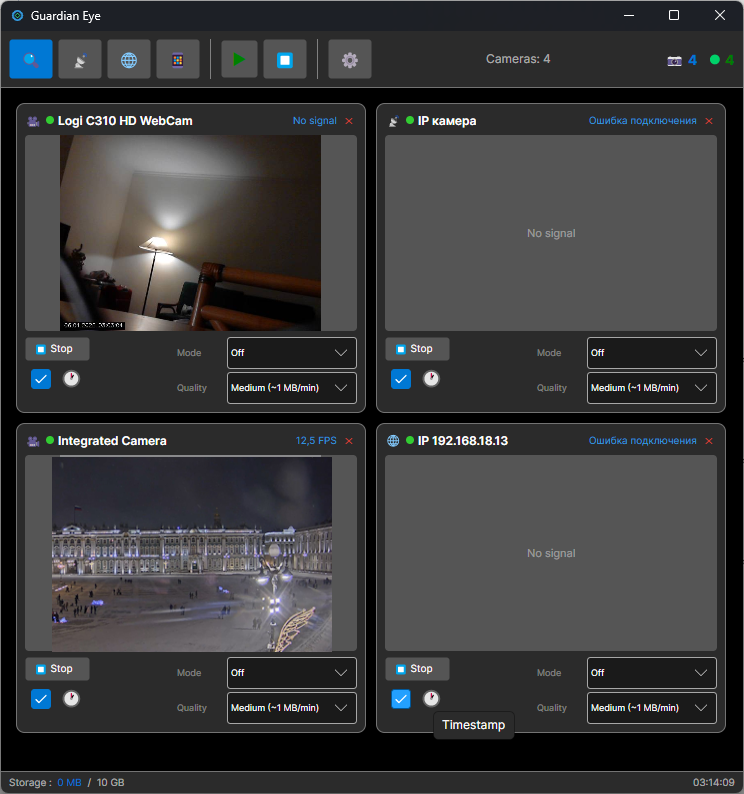
📹 Live View
Real-time video from all connected cameras with low latency.
🎯 Motion Indicator
Visual feedback when motion is detected on any camera.
⚙️ Quick Settings
Access settings directly from the toolbar.
Appearance Settings
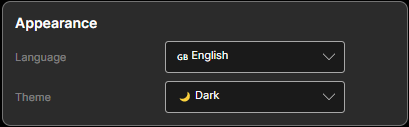
🎨 Theme
Choose your preferred color scheme.
| System | Follows your OS theme (light/dark) |
| Light | Bright interface for daytime use |
| Dark | Dark interface, easier on eyes at night |
🌐 Language
Select interface language.
Motion Detection Settings
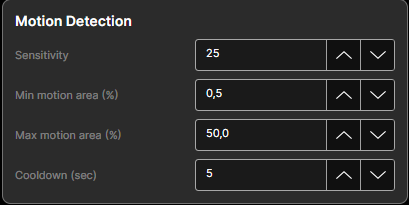
🎚️ Sensitivity
How sensitive the detector is to pixel changes.
| Range: | 0 - 255 |
| Default: | 25 |
| Tip: | Lower = more sensitive, may cause false alarms |
📐 Min/Max Motion Area
Percentage of frame that must change to trigger.
| Min Area: | 0.5% — filters noise |
| Max Area: | 50% — filters light changes |
💡 If whole image changes (>50%), it's probably lighting, not motion.
⏱️ Cooldown
Wait time after detection before next trigger.
| Range: | 0 - 3600 seconds |
| Default: | 5 seconds |
💡 Prevents spam notifications during continuous motion.
Recording Settings
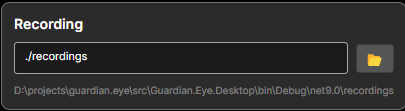
📁 Output Path
Where recordings are saved.
./recordings 💡 Use SSD for best performance with multiple cameras.
🎬 Format & Codec
| Format: | mp4, mkv, avi |
| Codec: | libx264 (H.264) recommended |
| Bitrate: | 2000 kbps (720p) |
⏱️ Segment Duration
Split recordings into files of this length.
| Range: | 1 - 60 minutes |
| Default: | 10 minutes |
💡 Shorter = easier to find events, more files to manage.
🎞️ Recording FPS
Frames per second for saved video.
| Default: | 15 FPS |
| Tip: | 15 FPS saves 50% storage vs 30 FPS |
Storage Rotation
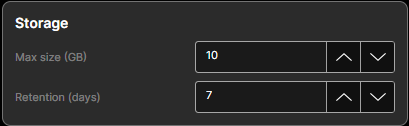
💾 Max Storage Size
Maximum disk space for recordings.
| Default: | 10,240 MB (10 GB) |
| Behavior: | Oldest files deleted when limit reached |
💡 Set to 0 for unlimited (manage manually).
📅 Max Age (Days)
Delete recordings older than this.
| Default: | 7 days |
| Free plan: | 7 days max |
| Home plan: | 30 days |
| Pro plan: | Unlimited |
🔄 Check Interval
How often to check storage limits.
| Default: | 30 minutes |
💡 Lower = more responsive cleanup, slightly more CPU.
📊 Storage Calculator
Estimate how much storage you'll need: